
WhatsApp Voice Status: WhatsApp, the popular messaging and calling platform owned by Meta, has introduced an exciting new feature called “Voice Status Updates.” With this feature, users can now record and share voice notes as their status with contacts on WhatsApp, adding a personalized touch to their updates.
WhatsApp Voice Status
WhatsApp has always been at the forefront of providing innovative features to enhance user experience. The latest addition, Voice Status Updates, allows you to share your thoughts, feelings, or any other audio content directly as your WhatsApp status. This feature was initially launched exclusively for Android users but has now been made available for iOS users as well.
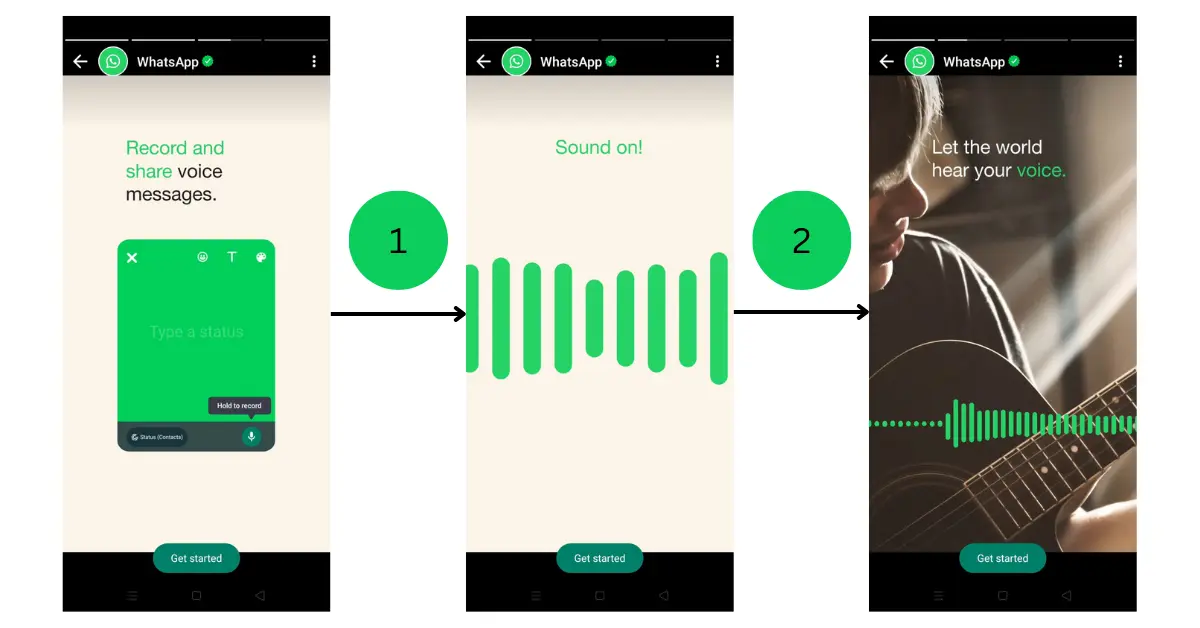
Accessing the ‘Voice Status Updates’ Feature
To utilize the Voice Status Updates feature, you need to ensure that you have the latest version of WhatsApp installed on your device. For iOS users, this feature can be found in WhatsApp version 23.5.77. If you don’t currently have access to this feature, don’t worry. It may take a few weeks for some accounts to receive it, as mentioned in the official changelog. To ensure you receive this feature in the future, even after installing the update, it is advisable to keep WhatsApp regularly updated through the App Store and the TestFlight app.
Read – BGMI New Update Release Date Out: Exciting Features and Enhancements Await Gamers
Steps to Utilize the WhatsApp ‘Voice Status Update’ Feature
- Launch the WhatsApp application on your device. Make sure you have the updated version installed.
- Once you are on the main screen, navigate to the status tab by tapping on the icon located at the bottom left corner of the screen. It resembles a circle with a plus sign in it.
- On the status tab, you will see a pencil icon in the bottom right corner of the screen. Tap on this icon to create a new status update.
- To record a voice note, simply hold down the microphone icon located at the bottom center of the screen. While recording, it’s important to note that the voice note cannot exceed 30 seconds in length.
- After you have finished recording your voice note, release the microphone icon. You will now be able to listen to the playback and review your recording.
- If you are satisfied with the voice note, you can share it as your status. The voice note will be visible to your contacts for a duration of 24 hours, after which it will disappear automatically.
Read – WhatsApp Working On “Translucent Effect for Tab Bar” Enhancing User Experience
Conclusion
WhatsApp’s new ‘Voice Status Updates’ feature brings a fresh and interactive element to your status updates. By allowing users to share voice notes, WhatsApp enables more expressive communication among friends, family, and colleagues. Remember to update your WhatsApp application to the latest version to access this feature. Don’t hesitate to make use of the easy-to-follow steps provided to start sharing your voice notes with your WhatsApp contacts today.


hello everyone