Home Blog Page 16

Top 15 Car Loan Interest Rates: A Comparison of Bank Rates in India

0
Car Loan Interest Rates

Car Loan Interest Rates: When it comes to purchasing a car, most people in India require financing. Car loans are a popular option, but the interest rates offered by various banks can vary significantly. It’s important to choose a loan with a low-interest rate to save money in the long run. In this article, we’ll compare the interest rates of the top banks in India that offer car loans.

Car Loan Interest Rates

Car loans are a type of secured loan that can be used to finance a new or used car purchase. The loan is secured by the car itself, and the interest rates are usually lower than unsecured loans. When considering a car loan, it’s important to compare the interest rates of various banks to get the best deal.

Car Loan Interest Rates

In this article, we’ll compare the interest rates and EMI (Equated Monthly Installment) of the top banks in India that offer car loans.

1. Axis Bank

Axis Bank offers car loans at an interest rate of 8.50% – 11.25%. The EMI per Rs. 1 lakh for a 7-year loan term ranges from Rs. 1,584 – Rs. 1,725.

2. Bank of Baroda

Bank of Baroda offers car loans at an interest rate of 7.35% – 9.10%. The EMI per Rs. 1 lakh for a 7-year loan term ranges from Rs. 1,526 – Rs. 1,614.

3. Bank of Maharashtra

Bank of Maharashtra offers car loans at an interest rate of 7.70% – 8.45%. The EMI per Rs. 1 lakh for a 7-year loan term ranges from Rs. 1,544 – Rs. 1,581.

4. Canara Bank

Canara Bank offers car loans at an interest rate of 7.30% – 9.90%. The EMI per Rs. 1 lakh for a 7-year loan term ranges from Rs. 1,524 – Rs. 1,655.

5. Central Bank of India

Central Bank of India offers car loans at an interest rate of 7.25% – 7.50%. The EMI per Rs. 1 lakh for a 7-year loan term ranges from Rs. 1,522 – Rs. 1,534.

6. Corporation Bank

Corporation Bank offers car loans at an interest rate of 7.40% – 7.50%. The EMI per Rs. 1 lakh for a 7-year loan term ranges from Rs. 1,529 – Rs. 1,534.

7. HDFC Bank

HDFC Bank offers car loans at an interest rate of 8.80% – 10.00%. The EMI per Rs. 1 lakh for a 7-year loan term ranges from Rs. 1,599 – Rs. 1,660.

8. ICICI Bank

ICICI Bank offers car loans at interest rates ranging from 8.82% to 12.75%. The EMI per Rs. 1 lakh for a 7-year loan tenure ranges from Rs. 1,600 to Rs. 1,806.

9. IDBI Bank

IDBI Bank is another popular bank in India that offers car loans with competitive interest rates. Here are some key details to know about IDBI Bank’s car loan interest rates:

Interest Rates

The interest rates for IDBI Bank car loans range from 8.40% to 9.00%. The actual interest rate you receive will depend on various factors such as your credit score, loan amount, loan tenure, and so on.

EMI per Rs. 1 lakh for 7 Years

Assuming a loan tenure of 7 years, the EMI per Rs. 1 lakh for IDBI Bank car loans ranges from Rs. 1,579 to Rs. 1,609. This means that if you take a car loan of Rs. 10 lakhs from IDBI Bank, your monthly EMI payments could range from Rs. 15,790 to Rs. 16,090, depending on the interest rate you receive.

10. Indian Bank

Indian Bank is a government-owned bank that provides car loans to eligible borrowers. If you’re considering an Indian Bank car loan, here’s what you need to know about the interest rates:

Interest Rates

Indian Bank car loan interest rates range from 8.20% to 8.55%. As with other banks, the actual interest rate you receive may be different based on various factors.

EMI per Rs. 1 lakh for 7 Years

For a car loan with a tenure of 7 years, the EMI per Rs. 1 lakh for Indian Bank ranges from Rs. 1,569 to Rs. 1,586. This means that for a car loan of Rs. 10 lakhs, your monthly EMI payments could range from Rs. 15,690 to Rs. 15,860, depending on the interest rate you receive.

11. Union Bank of India

Union Bank of India offers attractive car loan interest rates for eligible borrowers. Here are the details of Union Bank of India’s car loan interest rates:

Interest Rates

The interest rates for Union Bank of India car loans range from 7.40% to 7.50%. However, keep in mind that the actual interest rate you receive may be different based on factors such as your credit score, loan amount, and so on.

EMI per Rs. 1 lakh for 7 Years

Assuming a loan tenure of 7 years, the EMI per Rs. 1 lakh for Union Bank of India car loans is between Rs. 1,529 and Rs. 1,534. Therefore, if you take a car loan of Rs. 10 lakhs from Union Bank of India, your monthly EMI payments could range from Rs. 15,290 to Rs. 15,340, depending on the interest rate you receive.

12. Punjab National Bank

Punjab National Bank is another popular bank in India that provides car loans at competitive interest rates. Here are some important details about PNB’s car loan interest rates:

Interest Rates

The interest rates for Punjab National Bank car loans range from 9.40% to 9.90%. However, keep in mind that the actual interest rate you receive may vary depending on various factors.

13. State Bank of India

State Bank of India (SBI) is a government-owned bank in India with its headquarters in Mumbai. It is one of the largest banks in India and offers various banking products and services, including car loans. SBI offers car loans with interest rates ranging from 7.95% to 8.70% and an EMI per Rs. 1 lakh for 7 years ranging from Rs. 1,556 to Rs. 1,594.

14. UCO Bank

UCO Bank is a public sector bank in India with its headquarters in Kolkata. It offers various financial products and services to its customers, including car loans. UCO Bank offers car loans with interest rates ranging from 7.70% to 9.30% and an EMI per Rs. 1 lakh for 7 years ranging from Rs. 1,544 to Rs. 1,624.

15. Bank of India

Bank of India (BOI) is a public sector bank in India with its headquarters in Mumbai. It offers various financial products and services to its customers, including car loans. BOI offers car loans with interest rates ranging from 7.35% to 7.95% and an EMI per Rs. 1 lakh for 7 years ranging from Rs. 1,526 to Rs. 1,556.

Compare Best Car Loans Interest Rates

Bank NameInterest RatesEMI per Rs. 1 lakh for 7 YearsDescription
Axis Bank8.50% – 11.25%Rs. 1,584 – Rs. 1,725Axis Bank provides car loans with flexible tenures of up to 8 years, high loan amounts, and competitive interest rates.
Bank of Baroda7.35% – 9.10%Rs. 1,526 – Rs. 1,614Bank of Baroda offers car loans with attractive interest rates and up to 90% financing on the on-road price of the vehicle.
Bank of Maharashtra7.70% – 8.45%Rs. 1,544 – Rs. 1,581Bank of Maharashtra provides car loans with low processing fees, flexible repayment options, and a maximum tenure of up to 7 years.
Canara Bank7.30% – 9.90%Rs. 1,524 – Rs. 1,655Canara Bank offers car loans with competitive interest rates, up to 7 years tenure, and easy repayment options.
Central Bank of India7.25% – 7.50%Rs. 1,522 – Rs. 1,534Central Bank of India provides car loans with a maximum tenure of 7 years and low processing fees.
Corporation Bank7.40% – 7.50%Rs. 1,529 – Rs. 1,534Corporation Bank offers car loans with attractive interest rates and low processing fees.
HDFC Bank8.80% – 10.00%Rs. 1,599 – Rs. 1,660HDFC Bank provides car loans with fast processing, competitive interest rates, and flexible repayment options.
ICICI Bank8.82% – 12.75%Rs. 1,600 – Rs. 1,806ICICI Bank offers car loans with low processing fees, flexible repayment options, and up to 100% financing on select models.
IDBI Bank8.40% – 9.00%Rs. 1,579 – Rs. 1,609IDBI Bank provides car loans with competitive interest rates, up to 7 years tenure, and a hassle-free application process.
Indian Bank8.20% – 8.55%Rs. 1,569 – Rs. 1,586Indian Bank offers car loans with up to 90% financing on the on-road price of the vehicle and easy repayment options.
Union Bank of India7.40% – 7.50%Rs. 1,529 – Rs. 1,534Union Bank of India provides car loans with low processing fees and a maximum tenure of up to 7 years.
Compare Best Car Loans

Factors that Affect Car Loan Interest Rates

Several factors can influence car loan interest rates, including:

  • Your credit score: A higher credit score can help you secure a lower interest rate.
  • Loan tenure: Longer tenures usually result in higher interest rates.
  • Loan amount: Larger loan amounts can result in lower interest rates.
  • Income: A higher income can improve your chances of getting a lower interest rate.
  • Type of car: The age, model, and brand of the car can impact interest rates.

The Importance of Shopping Around for the Best Rates

When looking for a car loan, it’s essential to shop around and compare interest rates offered by different banks. This can help you get a better understanding of the loan options available to you and secure the best deal possible.

Conclusion

Car loans can be a great way to buy your dream car, but it’s important to choose the right bank and the right interest rate. In this article, we have discussed the car loan interest rates offered by some of the top banks in India. It’s important to keep in mind that these interest rates and EMIs are subject to change based on various factors, and it’s always best to check with the bank directly for the latest information.

FAQs

What is a car loan?

A car loan is a type of loan that is used to purchase a car. The borrower receives funds from the bank to buy the car and then repays the loan with interest over a fixed period of time.

What factors affect car loan interest rates?

Several factors can affect car loan interest rates, including the borrower’s credit score, income, employment status, loan amount, loan duration, and the type of car being purchased.

Can I negotiate car loan interest rates?

Yes, you can negotiate car loan interest rates with the bank. It’s always a good idea to shop around and compare rates from different banks before finalizing a loan.

Can I prepay my car loan?

Yes, most banks allow prepayment of car loans. However, there may be prepayment charges involved, so it’s best to check with the bank before making a prepayment.

What happens if I default on my car loan?

If you default on your car loan, the bank may seize your car and auction it to recover the outstanding loan amount. Additionally, your credit score will be negatively affected, making it harder to get loans in the future.


List of Popular 10 Indian Banks/HFCs Offering Best Home Loan Rates

0
Best Home Loan Rates

Best Home Loan Rates: Home loans are one of the most significant financial decisions an individual makes in their lifetime. While purchasing a house is a crucial milestone, finding the right lender with the best home loan rates can be a challenging task. India is home to many public and private sector banks and housing finance companies (HFCs) that offer home loans. In this article, we will take a closer look at the top Indian banks/HFCs that provide the best home loan rates.

Best Home Loan Rates

A home loan is a type of secured loan that is taken by an individual to purchase a house or property. The loan amount is repaid over a specified period with an interest rate. The interest rates on home loans vary from lender to lender and depend on various factors like the borrower’s credit score, income, and the loan amount. In this article, we have compiled a list of popular Indian banks/HFCs that offer the best home loan rates.

Best Home Loan Rates

1. State Bank of India

Loan AmountInterest Rates (% p.a.)
Up to Rs 30 Lakh9.15-10.15
Above Rs 30 Lakh & up to Rs 75 Lakh9.15-10.05
Above Rs 75 Lakh9.15-10.05
State Bank of India

The State Bank of India (SBI) is one of the most prominent banks in India and offers home loans at competitive rates. The interest rate for a home loan from SBI ranges from 9.15% to 10.15% for loans up to Rs 30 lakh. For loans above Rs 30 lakh and up to Rs 75 lakh, the interest rate is 9.15% to 10.05%, and for loans above Rs 75 lakh, the interest rate is 9.15% to 10.05%.

2. HDFC

Loan AmountInterest Rates (% p.a.)
Up to Rs 30 Lakh8.50-10.35
Above Rs 30 Lakh & up to Rs 75 Lakh8.50-10.60
Above Rs 75 Lakh8.50-10.70
HDFC

Housing Development Finance Corporation Limited (HDFC) is one of the leading housing finance companies in India. HDFC offers home loans at attractive interest rates, starting from 8.50% and going up to 10.70%. For loans up to Rs 30 lakh, the interest rate is 8.50% to 10.35%, for loans above Rs 30 lakh and up to Rs 75 lakh, the interest rate is 8.50% to 10.60%, and for loans above Rs 75 lakh, the interest rate is 8.50% to 10.70%.

3. ICICI Bank

Loan AmountInterest Rates (% p.a.)
Up to Rs 30 Lakh9.00-9.80
Above Rs 30 Lakh & up to Rs 75 Lakh9.00-9.95
Above Rs 75 Lakh9.00-10.05
ICICI Bank

ICICI Bank is one of the largest private sector banks in India, offering home loans at competitive rates. The interest rate for a home loan from ICICI Bank ranges from 9.00% to 10.05% for loans up to Rs 30 lakh. For loans above Rs 30 lakh and up to Rs 75 lakh, the interest rate is 9.00% to 9.95%, and for loans above Rs 75 lakh, the interest rate is 9.00% to 10.05%.

4. Kotak Mahindra Bank

Loan AmountInterest Rates (% p.a.)
Up to Rs 30 Lakh8.85 onwards
Above Rs 30 Lakh & up to Rs 75 Lakh8.85 onwards
Above Rs 75 Lakh8.85 onwards
Kotak Mahindra Bank

Kotak Mahindra Bank is another private-sector bank that offers home loans at competitive rates. The interest rate for a home loan from Kotak Mahindra Bank starts from 8.85% onwards. The bank offers the same interest rates for loans up to Rs 30 lakh, loans above Rs 30 lakh and up to Rs 75 lakh, and loans above Rs 75 lakh.

5. Punjab National Bank

Loan AmountInterest Rates (% p.a.)
Up to Rs 30 Lakh8.65-9.60
Above Rs 30 Lakh & up to Rs 75 Lakh8.60-9.50
Above Rs 75 Lakh8.60-9.50
Punjab National Bank

Punjab National Bank (PNB) is a public sector bank that offers home loans at attractive interest rates. The interest rate for a home loan from PNB ranges from 8.65% to 9.60% for loans up to Rs 30 lakh. For loans above Rs 30 lakh and up to Rs 75 lakh, the interest rate is 8.60% to 9.50%, and for loans above Rs 75 lakh, the interest rate is 8.60% to 9.50%.

6. Bank of Baroda

Loan AmountInterest Rates (% p.a.)
Up to Rs 30 Lakh8.60-10.65
Above Rs 30 Lakh & up to Rs 75 Lakh8.60-10.65
Above Rs 75 Lakh8.60-10.90
Bank of Baroda

Bank of Baroda is another popular Indian bank that offers home loans to its customers. The bank provides competitive interest rates on home loans and has a flexible repayment tenure ranging from 1 year to 30 years. The interest rates for Bank of Baroda home loans are as follows:

  • Up to Rs 30 lakh: 8.60%-10.65%
  • Above Rs 30 lakh & up to Rs 75 lakh: 8.60%-10.65%
  • Above Rs 75 lakh: 8.60%-10.90%

Bank of Baroda offers a wide range of home loan products, such as Baroda Home Loan, Baroda Pre-Approved Home Loan, Baroda Top Up Loan, and Baroda Home Improvement Loan. The bank also provides a home loan balance transfer facility to customers who want to transfer their existing home loan from another bank to the Bank of Baroda.

The bank has an easy application process for home loans, which can be done online or at any Bank of Baroda branch. Customers can also track their home loan application status online. Additionally, the Bank of Baroda provides doorstep service to its customers, wherein the bank representative visits the customer’s residence to collect the required documents and assist in the loan application process.

7. Union Bank of India

Loan AmountInterest Rates (% p.a.)
Up to Rs 30 Lakh9.00-10.75
Above Rs 30 Lakh & up to Rs 75 Lakh9.00-10.95
Above Rs 75 Lakh9.00-10.95
Union Bank of India

Union Bank of India is a public sector bank that offers attractive interest rates on home loans. The bank provides borrowers with the option to choose between fixed and floating interest rates, depending on their preference. The interest rates for home loans at Union Bank of India start from 9.00% per annum and go up to 10.95% per annum for loans above Rs. 75 lacks.

8. IDFC First Bank

Loan AmountInterest Rates (% p.a.)
Up to Rs 30 Lakh8.85 onwards
Above Rs 30 Lakh & up to Rs 75 Lakh8.85 onwards
Above Rs 75 Lakh8.85 onwards
IDFC First Bank

IDFC First Bank is another private sector bank that provides competitive interest rates on home loans. The bank offers a range of home loan options, including the choice between fixed and floating interest rates. The interest rates for home loans at IDFC First Bank start from 8.85% per annum and go up to 8.85% per annum for loans above Rs. 75 lacks.

9. Federal Bank

Loan AmountInterest Rate (% p.a.)
Up to Rs 30 Lakh10.15-10.20
Above Rs 30 Lakh & up to Rs 75 Lakh10.20-10.25
Above Rs 75 Lakh10.25-10.30
Federal Bank

Federal Bank is a private sector bank that provides attractive interest rates on home loans. The bank offers a range of home loan options, including the choice between fixed and floating interest rates. The interest rates for home loans at Federal Bank start from 10.15% per annum and go up to 10.30% per annum for loans above Rs. 75 lacks.

Also, Read – Earn From Instagram Reels Bonus

10. Indian Bank

Loan AmountInterest Rate (% p.a.)
Up to Rs 30 Lakh8.45-10.40
Above Rs 30 Lakh & up to Rs 75 Lakh8.45-10.40
Above Rs 75 Lakh8.45-10.40
Indian Bank

Indian Bank is a public sector bank that provides competitive interest rates on home loans. The bank offers a range of home loan options, including the choice between fixed and floating interest rates. The interest rates for home loans at Indian Bank start from 8.45% per annum and go up to 10.40% per annum for loans above Rs. 75 lacks.

Also, Read – How to Link Aadhaar with PAN Card Online

Conclusion

there are several Indian banks/HFCs that offer competitive interest rates on home loans. Borrowers can choose from a range of options, including fixed and floating interest rates, depending on their preference. It is important to do thorough research and compare the interest rates, processing fees, and other terms and conditions offered by various lenders before choosing a home loan provider. By doing so, borrowers can ensure that they get the best deal and are able to repay their loans comfortably.

FAQs

What is the minimum and maximum loan amount available for home loans?

The minimum and maximum loan amount available for home loans varies from lender to lender.

Can I choose between fixed and floating interest rates for my home loan?

Yes, most lenders offer the option to choose between fixed and floating interest rates for home loans.

What factors determine the interest rate for a home loan?

The interest rate for a home loan is determined by various factors, including the loan amount, the borrower’s credit score, and the prevailing market conditions.

Is it better to choose a fixed or floating interest rate for a home loan?

The choice between fixed and floating interest rates depends on individual preferences and market conditions. Borrowers should consider their financial situation and future plans before making a decision.

Can I prepay my home loan?

Yes, most lenders allow borrowers to prepay their home loan without any penalty. However, it is important to check the terms and conditions of the loan agreement before making any prepayments.

Apple Watch Keyboard Notification: What It Is and How It Works

0
Apple Watch Keyboard Notification

Apple Watch Keyboard Notification: The Apple Watch is one of the most popular wearable devices on the market today. It’s an extension of your iPhone that you can wear on your wrist, allowing you to receive notifications, track your fitness, and perform other useful functions.

In this article, we’re going to talk about a specific feature of the Apple Watch: the keyboard notification. We’ll explain what it is, how it works, and what benefits and limitations it offers. We’ll also explore some alternatives to the keyboard notification that you can use if it doesn’t meet your needs.

Apple Watch Keyboard Notification

The Apple Watch keyboard notification is a feature that allows you to receive notifications when you receive a message that requires a reply. For example, if you receive a text message or an email that you need to reply to, your Apple Watch will notify you, and you can reply directly from your watch.

Apple Watch Keyboard Notification

Importance

The keyboard notification is an important feature because it allows you to stay connected and productive without having to pull out your phone. You can quickly and easily reply to messages and emails without interrupting your workflow or conversation.

How To Enabling Apple Watch Keyboard Notification

Enabling the Apple Watch keyboard notification is a simple process. First, make sure that your Apple Watch is paired with your iPhone. Then, follow these steps:

Step 1

Open the Watch app on your iPhone.

Step 2

Tap on the “Notifications” tab

Step 3

Scroll down and tap on the app that you want to receive notifications for

Step 4

Toggle on “Notifications” and “Show App on Apple Watch”

Step 5

Scroll down and toggle on “Sound” and “Haptic”

Once you’ve enabled the keyboard notification, you’ll receive a notification on your Apple Watch every time you receive a message that requires a reply.

Troubleshooting

If you’re having trouble receiving keyboard notifications on your Apple Watch, there are a few things you can try. First, make sure that your watch is paired with your iPhone and that the “Show App on Apple Watch” toggle is turned on. You should also check that your watch and iPhone are connected to the same Wi-Fi network and that they’re both updated to the latest software versions.

If none of these solutions work, you can try unpairing and re-pairing your watch with your iPhone or contacting Apple support for further assistance.

How to use the Apple Watch Keyboard

Using the Apple Watch Keyboard is easy. Here are the basic steps:

  1. Open the Messages app on your Apple Watch.
  2. Select the conversation you want to reply to.
  3. Tap on the “Reply” button.
  4. Tap on the “Dictate” button to dictate your message or tap on the “Emoji” button to add emojis to your message.
  5. Tap on the “Keyboard” button to open the keyboard.
  6. Use the digital crown to scroll through the letters and tap on the letter you want to type.
  7. Repeat step 6 until you have typed out your message.
  8. Tap on the “Send” button to send your message.

Tips on how to use Apple Watch Keyboard effectively

To use the Apple Watch Keyboard effectively, here are some tips:

  1. Use the digital crown to scroll through the letters. This is much faster than tapping each letter individually.
  2. Use the “predictive text” feature to speed up your typing. The Apple Watch Keyboard will suggest words as you type, so you can select the word you want with just one tap.
  3. Use voice dictation to speed up your typing even more. Simply tap on the “Dictate” button and speak your message.
  4. Practice makes perfect. The more you use the Apple Watch Keyboard, the faster and more accurate you will become.

Benefits of Apple Watch Keyboard Notification

Convenience

The keyboard notification is a convenient feature because it allows you to quickly and easily reply to messages without having to take out your phone. This can be especially useful when you’re in a meeting, at the gym, or in another situation where you don’t want to be distracted by your phone.

Time-saving

The keyboard notification can also save you time. Instead of having to pull out your phone, unlock it, and navigate to the messaging app, you can simply reply from your watch. This can help you stay on top of your messages and emails

Limitations of Apple Watch Keyboard Notification

Limited Space

One of the limitations of the keyboard notification is that it has limited space for typing. The screen on the Apple Watch is small, so you may have to scroll or zoom in to see what you’re typing. This can make it difficult to compose long messages or emails.

Typing Limitations

The keyboard notification also has some typing limitations. The keyboard is small and may not be suitable for people with larger fingers. Additionally, the predictive text feature may not always be accurate, which can lead to errors in your messages.

Alternatives to Apple Watch Keyboard Notification

Voice Dictation

One alternative to keyboard notification is to use voice dictation. The Apple Watch has a built-in microphone that allows you to dictate your messages and emails. This can be a faster and more accurate way to compose messages, especially if you’re on the go.

Pre-Written Responses

Another alternative is to use pre-written responses. The Apple Watch has a set of pre-written responses that you can use to reply to messages and emails. These responses are customizable, so you can add your own responses to the list.

Conclusion

The Apple Watch keyboard notification is a useful feature that allows you to stay connected and productive without having to take out your phone. It’s convenient, time-saving, and can help you stay on top of your messages and emails. However, it does have some limitations, such as limited space for typing and typing limitations.

If the keyboard notification doesn’t meet your needs, there are alternatives, such as voice dictation and pre-written responses. Ultimately, the best option will depend on your personal preferences and how you use your Apple Watch.

FAQs

Can I use the keyboard notification with any messaging app?

The keyboard notification works with most messaging apps that are compatible with the Apple Watch.

How accurate is the voice dictation feature on the Apple Watch?

The voice dictation feature on the Apple Watch is generally accurate, but it may make errors from time to time.

Can I customize the pre-written responses on my Apple Watch?

Yes, you can customize the pre-written responses on your Apple Watch.

Is the Apple Watch keyboard notification available on all Apple Watch models?

Yes, the keyboard notification is available on all Apple Watch models.

Can I reply to messages and emails from my Apple Watch without an iPhone?

No, you need to have your Apple Watch paired with your iPhone to reply to messages and emails.

RubMD: A Comprehensive Guide to At-Home Massage

0
RubMD

RubMD: In this fast-paced world, where we are constantly on the go, it is essential to take care of our health and well-being. One of the most effective ways to do this is by getting regular massages. However, with our busy schedules, it can be challenging to find the time to visit a spa or a massage therapist. This is where at-home massage devices like RubMD come in. In this article, we will discuss what RubMD is, its benefits, how it works, and its effectiveness.

RubMD

RubMD

RubMD is an at-home massage device that uses percussive therapy to provide deep tissue massage. It is a handheld device that resembles a gun and is designed to be used on different parts of the body, such as the neck, shoulders, back, and legs. RubMD comes with multiple attachments that can be used for different types of massages.

Benefits of RubMD

RubMD offers numerous benefits that make it an excellent investment for those looking for at-home massage devices. Some of the benefits of RubMD include:

Convenience

One of the biggest advantages of RubMD is that it is incredibly convenient. It can be used in the comfort of your own home, at any time of the day or night.

Cost-effective

Visiting a spa or a massage therapist regularly can be quite expensive. RubMD is a cost-effective alternative that can save you a lot of money in the long run.

Safe and secure

All RubMD therapists undergo a thorough background check and are licensed professionals. This ensures that you receive safe and high-quality services.

Pain relief

RubMD provides deep-tissue massage, which can help relieve muscle tension and soreness. It can also help alleviate pain caused by conditions like fibromyalgia, arthritis, and sciatica.

Improved circulation

Regular massages can help improve blood flow and circulation in the body, which can have numerous health benefits. RubMD can provide similar benefits but in the comfort of your own home.

How does RubMD work?

RubMD uses percussive therapy, a massage technique that involves using rapid, repetitive movements to stimulate the muscles. When the device is turned on, it creates a high-frequency vibration that penetrates deep into the muscles, providing a deep tissue massage. The different attachments that come with RubMD can be used to target different parts of the body and provide different types of massages.

Is RubMD effective?

Several studies have shown that percussive therapy can be effective in relieving muscle tension, soreness, and pain. RubMD uses this same technique, and many users have reported significant improvements in their symptoms after using the device. However, it is essential to note that RubMD may not be effective for everyone, and results may vary.

Is RubMD safe?

Yes, RubMD is safe and secure. All the therapists on the platform undergo a thorough background check and are licensed professionals. Additionally, the platform uses secure payment systems to ensure that your personal and financial information remains safe.

How to use RubMD

Using RubMD is simple and straightforward. First, select the attachment you want to use based on the type of massage you want to receive. Next, turn on the device and place it on the area of your body you want to massage. Move the device around the area, applying gentle pressure as needed. It is important to avoid using RubMD on bony areas and to use it only for a few minutes at a time to avoid overstimulating the muscles.

Who can benefit from RubMD?

Anyone who wants to enjoy the benefits of massage therapy can benefit from using RubMD. However, it can be particularly beneficial for:

  • People who suffer from chronic pain or muscle soreness
  • Athletes who need regular massages to prevent injuries and improve performance
  • People who have limited mobility or transportation issues
  • Individuals who lead busy lives and want to enjoy the convenience of in-home massage therapy

What types of massage therapy are available on RubMD?

RubMD offers a range of massage therapy services, including:

  • Swedish massage
  • Deep tissue massage
  • Sports massage
  • Prenatal massage
  • Reflexology
  • Shiatsu massage
  • Thai massage

What are the pricing options for RubMD?

RubMD offers competitive pricing options for its services, with rates starting at $75 for a 60-minute massage therapy session. The pricing may vary depending on the type of massage therapy you select and the duration of the session.

Can I request a specific massage therapist?

Yes, users can browse through the profiles of all available massage therapists and select the one they prefer. If the preferred therapist is not available, users can select a different one.

Limitations of rubmd

While rubmd offers many benefits, it is important to note that there are some limitations to the platform. For example, rubmd does not provide in-person exams, which may be necessary for certain medical conditions. Additionally, the range of services offered on rubmd is limited, so patients may need to seek additional care for certain medical needs. Finally, rubmd is not suitable for emergencies and patients should always seek immediate medical attention in case of a medical emergency.

Conclusion

RubMD offers a convenient, personalized, and cost-effective solution for those seeking massage therapy services. With its online platform, users can easily schedule appointments with licensed professionals who come directly to their homes, making it easy to fit regular massage therapy sessions into their busy schedules. RubMD offers a range of massage therapy services to cater to individual needs, and all therapists undergo a thorough background check to ensure a safe and secure experience.

If you’re looking for a way to alleviate muscle soreness, chronic pain, or physical stress, RubMD is definitely worth considering. Sign up for an account today and experience the benefits of personalized massage therapy from the comfort of your own home.

FAQs

Is RubMD available in all locations?

RubMD is currently available in select cities. Check the website or mobile app to see if the service is available in your area.

How do I know if a therapist is licensed?

RubMD only works with licensed massage therapists who have undergone a thorough background check.

Can I book a massage therapy session for someone else?

Yes, you can book a session for someone else. Just make sure to provide their information during the booking process.

How do I pay for the service?

RubMD accepts payments through the website or mobile app using secure payment systems.

What happens if I need to cancel my appointment?

RubMD has a cancellation policy in place. Make sure to check the policy before booking and canceling an appointment.

[Solved] ChatGPT Error in Body Stream: Causes, Symptoms, and Solutions

0
ChatGPT Error in Body Stream

ChatGPT Error in Body Stream: ChatGPT is an advanced language model designed to generate human-like text based on input data. However, despite its advanced capabilities, ChatGPT can experience errors in its body stream that affect its performance. In this article, we will explore the causes, symptoms, and solutions to ChatGPT errors in the body stream.

ChatGPT Error in Body Stream

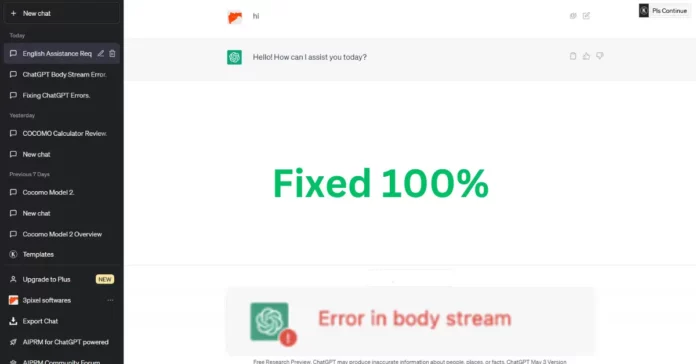
ChatGPT error in body stream is an error message that appears when there is an issue with the input data sent to ChatGPT. It usually occurs when the data format is not correct or when there is an issue with the encoding of the data. When this error occurs, the input data is not processed, and the response is not generated.

ChatGPT Error in Body Stream

ReadHow to Set up and Use ChatGPT in Linux Terminal

Causes of ChatGPT Error in Body Stream

ChatGPT error in the body stream can be caused by several factors, including incomplete or incorrect data input, network connectivity issues, system overload, and hardware failure.
Incomplete Data Input

Incomplete data input can cause ChatGPT to generate errors in its body stream. This can occur when the input data is missing crucial information required to generate a complete response.
Incorrect Data Input

Incorrect data input can also cause ChatGPT to generate errors in its body stream. This can occur when the input data is incorrect or contains errors, resulting in a flawed response.

Network Connectivity Issues

Network connectivity issues can disrupt the flow of data between ChatGPT and the input source, resulting in errors in its body stream.

System Overload

System overload can occur when ChatGPT is processing an excessive amount of data or requests, resulting in errors in its body stream.

Hardware Failure

Hardware failures, such as a malfunctioning CPU or insufficient RAM, can also cause ChatGPT to generate errors in its body stream.

ReadHow to Use Anthropomorphic Claude ChatGPT Rival

Symptoms of ChatGPT Error in Body Stream

ChatGPT error in the body stream can manifest in several ways, including error messages, slow response time, unresponsive system, and loss of data.

Error Messages

Error messages are the most common symptom of ChatGPT error in body stream. These messages can vary in severity and detail, ranging from a simple warning to a critical error that requires immediate attention.

Slow Response Time

Slow response time can also indicate a ChatGPT error in body stream. This can occur when ChatGPT is struggling to process the input data, resulting in a delayed response.

Unresponsive System

An unresponsive system can be caused by a ChatGPT error in body stream. This can occur when ChatGPT is unable to generate a response or crashes during the process.

Loss of Data

Loss of data can occur when ChatGPT is unable to generate a response due to an error in its body stream. This can result in incomplete or inaccurate data.

ReadChatGPT Net Worth: How Much is the Language Model Worth?

Troubleshooting ChatGPT Error in Body Stream

Basic Troubleshooting Steps

Basic troubleshooting steps can help resolve ChatGPT error in body stream. These steps include:

  • Restarting the system
  • Checking the input data for completeness and accuracy
  • Clearing cache and cookies
  • Disconnecting and reconnecting to the network

Advanced Troubleshooting Steps

Advanced troubleshooting steps may be required if basic steps do not resolve the issue. These steps include:

  • Updating software and hardware
  • Checking system resources such as RAM and CPU
  • Running diagnostic tests
  • Reinstalling the software

Seeking Technical Assistance

If ChatGPT error in body stream persists after basic and advanced troubleshooting steps, seeking technical assistance from the software provider or a technical expert may be necessary.

Prevention of ChatGPT Error in Body Stream

Preventive measures can help avoid ChatGPT error in body stream. These measures include:

  • Regular system maintenance
  • Up-to-date software and hardware
  • Quality data input

Tips to Avoid ChatGPT Error in Body Stream

Here are some tips to help you avoid ChatGPT Errors in Body Stream:

Keep ChatGPT Up-to-date

Keeping ChatGPT up-to-date is one of the best ways to avoid encountering errors. As mentioned earlier, developers release updates to fix bugs and improve performance. Make sure you install updates as soon as they become available.

Avoid Malware

Malware can cause a wide range of issues on your system, including ChatGPT Error in Body Stream. To avoid malware, use a reliable antivirus program and avoid downloading files from untrusted sources.

ReadHow to Set up and Use ChatGPT in Linux Terminal

Impact of ChatGPT Error in Body Stream

Effects on ChatGPT’s Performance

The body stream error in ChatGPT can impact its performance by reducing the accuracy and reliability of its responses. This can lead to a poor user experience and decreased trust in the chatbot’s abilities.

Effects on user experience

When users encounter the body stream error in ChatGPT, they may feel frustrated and disappointed. They may not receive the information they need or expect, leading to a negative experience with the chatbot. This can also result in users seeking assistance from other sources, reducing the effectiveness and efficiency of the chatbot.

Effects on customer satisfaction

The body stream error in ChatGPT can impact customer satisfaction by reducing the quality of service provided by the chatbot. When customers encounter errors and do not receive the assistance they need, they may become dissatisfied with the chatbot and the service it provides. This can lead to a negative impact on the brand’s reputation and customer loyalty.

Conclusion

ChatGPT error in body stream can affect its performance and generate inaccurate or incomplete responses. Understanding the causes, symptoms, and solutions to this issue is crucial in maintaining the effectiveness of the language model. By following basic and advanced troubleshooting steps and adopting preventive measures, users can ensure ChatGPT operates at optimal performance.

FAQs

Can ChatGPT error in body stream cause permanent damage to my system?

No, ChatGPT error in body stream is a software issue and does not cause permanent damage to the system.

How can I determine the root cause of the error?

Checking the error message and system resources can help determine the root cause of ChatGPT error in body stream.

What should I do if basic troubleshooting steps do not resolve the issue?

Advanced troubleshooting steps or seeking technical assistance may be necessary if basic steps do not resolve ChatGPT error in body stream.

Is ChatGPT error in body stream a common issue?

ChatGPT error in body stream is not a common issue, but it can occur under certain circumstances.

Can ChatGPT error in body stream be prevented?

Yes, regular system maintenance, up-to-date software and hardware, and quality data input can help prevent ChatGPT error in body stream.

COCOMO Model Calculator Tool

0
COCOMO Model Calculator Tool

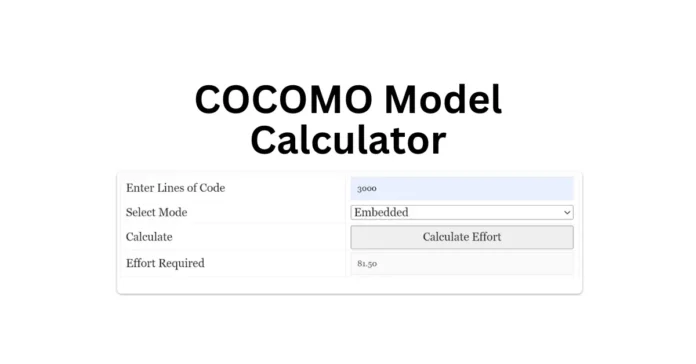
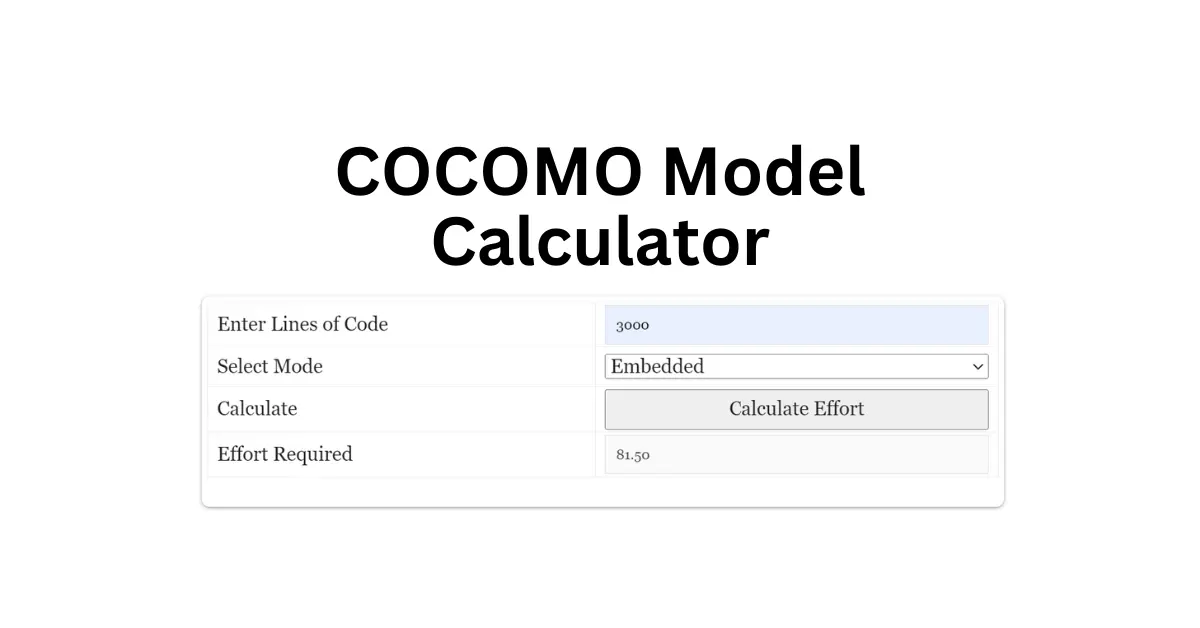
COCOMO Model Calculator: The COCOMO model calculator tool is a software development cost estimation tool that helps software development teams determine the effort required to complete a project. It was developed by Dr. Barry Boehm in the late 1970s and is widely used today. The tool requires users to enter the lines of code for the project, select a mode, and it will calculate the effort required. In this article, we will explore the COCOMO model calculator tool in detail and discuss its benefits, limitations, and how to use it effectively.

COCOMO Model Calculator

Enter Lines of Code
Select Mode
Calculate
Effort Required

The COCOMO (Constructive Cost Model) model is a cost estimation model for software projects. It was first introduced in 1981 and has since undergone several revisions. The model is based on the assumption that software development effort can be estimated based on the size of the code and the mode of the project.

COCOMO Model Calculator Tool

How does the COCOMO Model Calculator Tool work?

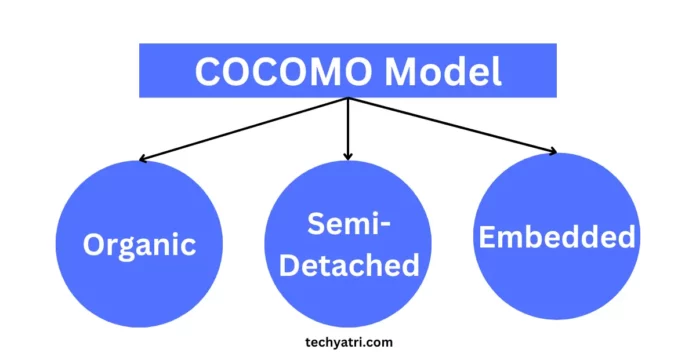
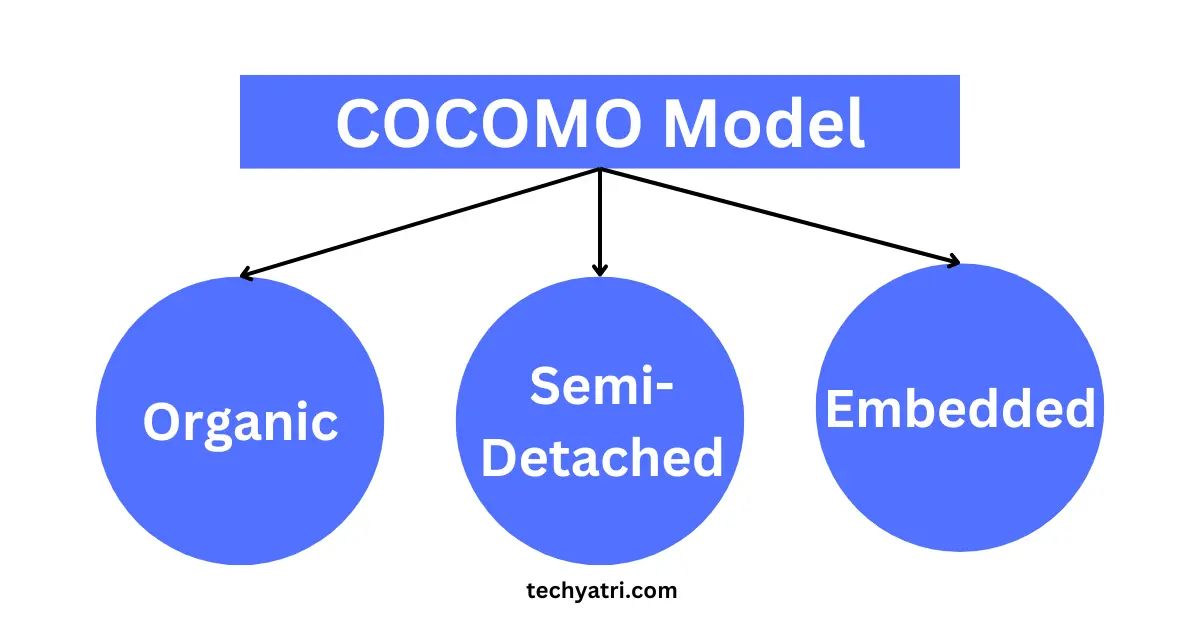
The COCOMO model calculator tool uses the COCOMO model to estimate the effort required for a software development project. The user must first enter the lines of code for the project. The tool then allows the user to select a mode, which can be either organic, semi-detached, or embedded. The mode selection is based on the project’s complexity, team experience, and development environment. Once the user has selected the mode, the tool will calculate the effort required for the project.

Benefits of the COCOMO Model Calculator Tool

The COCOMO model calculator tool offers several benefits to software development teams, including:

Accurate Cost Estimation

The tool uses the COCOMO model, which is a proven model for software development cost estimation. This ensures that the estimated cost is accurate, which helps teams plan and budget more effectively.

Saves Time and Effort

The tool automates the estimation process, saving teams time and effort that would otherwise be spent manually calculating the effort required.

Flexibility

The tool is flexible and can be used for different types of software projects, regardless of their size or complexity.

Improves Decision Making

The tool provides teams with a clear estimate of the effort required, which helps them make better decisions about project timelines, resource allocation, and budgeting.

Limitations of the COCOMO Model Calculator Tool

While the COCOMO model calculator tool offers several benefits, there are also some limitations to consider, including:

Limited Accuracy

The tool’s estimates are based on assumptions and historical data, which may not always reflect the specific circumstances of the project. This can result in inaccurate estimates, particularly for complex or unique projects.

Requires Accurate Inputs

The tool’s estimates rely heavily on accurate inputs, particularly the lines of code and mode selection. Inaccurate inputs can result in inaccurate estimates.

No Consideration for External Factors

The tool does not take into account external factors, such as changes in project requirements, scope creep, or changes in the market. This can impact the accuracy of the estimates.

How to Use the COCOMO Model Calculator Tool Effectively

To use the COCOMO model calculator tool effectively, software development teams should:

Gather Accurate Data

Ensure that the lines of code and mode selection inputs are accurate to produce reliable estimates.

Use the Tool as Part of a Broader Estimation Process

The tool should be used in conjunction with other estimation methods to produce more accurate and reliable estimates.

Consider External Factors

Teams should consider external factors that may impact the project’s timeline and cost, such as market changes or scope creep when using the tool.

Types of COCOMO models

COCOMO Model

There are three types of COCOMO models: Basic, Intermediate, and Advanced. The Basic COCOMO model is the simplest and most widely used. It is suitable for estimating the effort required for small to medium-sized projects. The Intermediate and Advanced COCOMO models are more complex and are suitable for larger and more complex projects.

Case study: COCOMO model calculator tool in action

Let’s consider a case study where a software development team is working on a new project. The team estimates that the project will require 10,000 lines of code to be written. Using the COCOMO model calculator tool, the team can estimate that the project will require 18 person-months of effort, and will take approximately 10 months to complete. This information can be used to plan and schedule the project activities more accurately, reducing the risk of project overruns.

Factors that affect COCOMO model calculations

The COCOMO model takes several factors into account when calculating the effort required for a project. These factors include:

  • Product attributes, such as complexity and size
  • Hardware attributes, such as memory and processing power
  • Personnel attributes, such as experience and skill level
  • Project attributes, such as schedule and budget

COCOMO Model Calculator Tool Inputs

The COCOMO model calculator tool is a web-based application that helps project managers to estimate the effort required for their software projects. The tool is designed to be user-friendly and can be used by both experienced and inexperienced project managers. The COCOMO model calculator tool requires the following inputs:

Lines of Code

The lines of code (LOC) is the first input required by the COCOMO model calculator tool. LOC refers to the number of lines of code that will be developed for the software project. This is the most critical input for the COCOMO model as it is used to estimate the effort required for the project.

Mode

The second input required by the COCOMO model calculator tool is the mode. There are three modes available in the COCOMO model:

  1. Organic mode: This mode is suitable for small projects with a team of experienced developers.
  2. Semi-detached mode: This mode is suitable for medium-sized projects with a mix of experienced and inexperienced developers.
  3. Embedded mode: This mode is suitable for large projects with a team of inexperienced developers.

Conclusion

The COCOMO model calculator tool is a useful tool for software cost estimation. It automates the COCOMO model calculations and provides accurate estimates quickly. The tool has several benefits, including saving time, reducing errors, providing consistent estimates, and helping project managers make informed decisions. However, it’s important to use the tool as a guide and not rely on it entirely. By using COCOMO model calculator tools, software engineers and project managers can estimate project effort, duration, and cost more efficiently and effectively.

FAQs

What is the COCOMO model?

The COCOMO model is an algorithmic approach to software cost estimation that takes into account several project factors.

What are the three versions of the COCOMO model?

The three versions of the COCOMO model are Basic, Intermediate, and Detailed.

What is a COCOMO model calculator tool?

A COCOMO model calculator tool is a software tool that automates the COCOMO model calculations.

What are the benefits of using a COCOMO model calculator tool?

The benefits of using a COCOMO model calculator tool include saving time, reducing errors, providing consistent estimates, and helping project managers make informed decisions.

Are COCOMO model calculator tools always accurate?

The accuracy of COCOMO model calculator tools depends on the input factors, and the tool assumes that the input factors are accurate. Additionally, the COCOMO model has limitations and may not work well for all types of software projects.

COCOMO Model In Software Engineering

0
COCOMO Model

COCOMO model: Software development has been on the rise for the last few decades, and with its increasing demand, it has become essential to estimate the cost, effort, and time required to develop software. The COCOMO model is a software cost estimation model that helps in predicting the effort and cost needed for software development. This article will provide a comprehensive guide on the COCOMO model, its types, and applications.

COCOMO Model

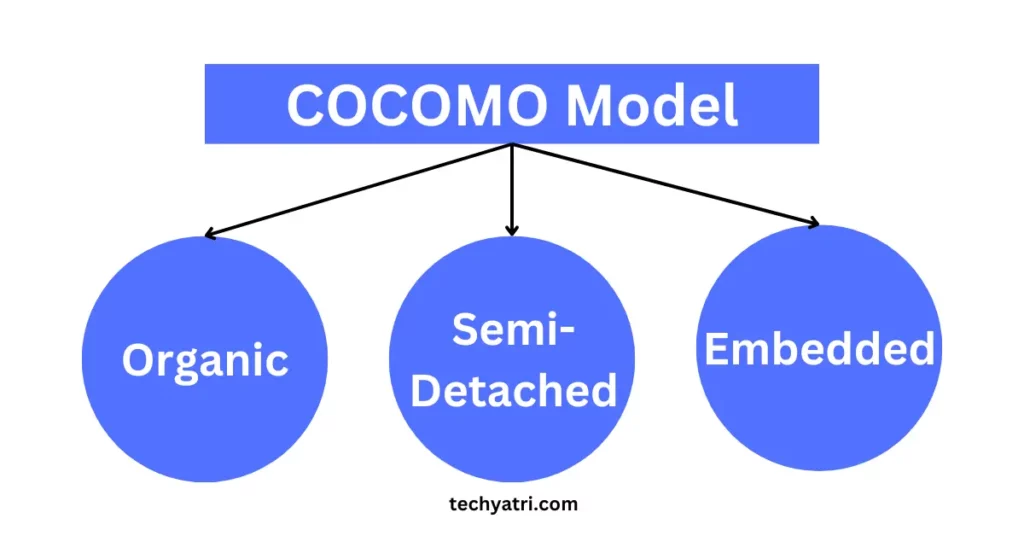
The COCOMO model was developed by Barry Boehm in 1981, and it stands for “Constructive Cost Model.” The model is widely used for estimating the cost, effort, and time required for software development. The COCOMO model has three types: basic, Semi-Detached, and Embedded, and it takes into account several factors such as software size, complexity, and development team experience.

In short, COCOMO stands for Constructive Cost Model. It is a procedural cost estimate model for software projects and is often used as a process of reliably predicting the various parameters associated with making a project such as size, effort, cost, time, and quality. COCOMO was proposed by Barry Boehm in 1981 and is based on the study of 63 projects, which makes it one of the best-documented models.

What is the COCOMO Model?

The COCOMO model is a software cost estimation model that uses a set of algorithms and formulas to predict the effort, time, and cost required for software development. The model is based on the assumption that there is a relationship between the size of the software and the effort required to develop it. The model takes into account several factors that influence software development, such as project characteristics, development team experience, software complexity, and development tools used.

Type of Software Projectabcd
Organic2.41.052.50.38
Semi-Detached3.01.122.50.35
Embedded3.61.202.50.32
Type of Software Project

These are the effort multipliers for different types of software projects in the Cocomo model. The effort multipliers are used to adjust the effort required for a project based on the project’s characteristics. The project characteristics that are considered include product, hardware, personnel, and project attributes.

The effort multipliers are represented by four letters: a, b, c, and d. The values for these multipliers vary depending on the type of software project. For example, for organic projects, the values for a, b, c, and d are 2.4, 1.05, 2.5, and 0.38, respectively. Similarly, for semi-detached projects, the values for a, b, c, and d are 3.0, 1.12, 2.5, and 0.35, respectively. For embedded projects, the values for a, b, c, and d are 3.6, 1.20, 2.5, and 0.32, respectively.

The effort multipliers are used in the Cocomo model to calculate the effort required for a project based on its size in Lines of Code (LOC). The model takes into account the project’s characteristics and adjusts the effort required accordingly. This helps in providing a reliable estimate of the effort required for a software project and in identifying critical areas that need more attention during software development.

History of Cocomo

The Constructive Cost Model was proposed by Barry Boehm in 1981. It was based on the study of 63 software projects and is one of the most widely used models for estimating software development costs.

COCOMO Model Types

COCOMO Model

The COCOMO model has three types: basic, Semi-Detached, and Embedded. Let’s take a look at each of these models.

TypeDescriptionSize MetricEffort Multipliers
BasicSuitable for projects with familiar technologies and small development teamsKLOC (thousands of lines of code)3 cost drivers: product attributes, hardware attributes, personnel attributes
Semi-DetachedSuitable for projects with moderate complexity and development teamsSLOC (source lines of code)15 cost drivers: 3 basic cost drivers + 12 Semi-Detached cost drivers such as development flexibility and database size
EmbeddedSuitable for large and complex projects with diverse technologies and large development teamsSLOC and/or Function Points17 cost drivers: 15 Semi-Detached
cost drivers + 2 additional cost drivers for modern software engineering practices such as reuse and software tools
COCOMO Model Types

Note: KLOC stands for thousands of lines of code, and SLOC stands for source lines of code.

Basic COCOMO Model

The basic COCOMO model is the simplest form of the COCOMO model. It estimates the effort required to develop software based on the size of the software in lines of code. The model takes into account the complexity of the software, the development team experience, and the development environment.

Effort = a * (KLOC)^b Schedule = c * (Effort)^d

In this formula, KLOC refers to the estimated number of lines of code required for the project, and a, b, c, and d are coefficients that depend on the project type (organic, semi-detached, or embedded). The Basic COCOMO model is used for estimating effort and schedule for small to medium-sized projects.

Semi-Detached COCOMO Model

The Semi-Detached COCOMO model is a more Embedded version of the basic COCOMO model. It takes into account additional factors such as the development team’s capability, the use of modern programming practices, and the software’s reliability requirements.

Effort = a * (KLOC)^b * (EAF) Schedule = c * (Effort)^d

In this formula, EAF (Effort Adjustment Factor) is a multiplier that accounts for various project factors, such as the complexity of the software, the skill level of the team members, and the quality of the software tools used. The Intermediate COCOMO model is used for estimating effort and schedule for larger and more complex projects.

Embedded COCOMO Model

The Embedded COCOMO model is the most comprehensive version of the COCOMO model. It takes into account several additional factors such as the development team’s experience with the development tools, the complexity of the software architecture, and the use of automated software development tools.

Effort = (a * (KLOC / 1000)^b) * EAF * (SF)^i Schedule = c * (Effort)^d

In this formula, SF (Scale Factor) is a multiplier that accounts for various project factors, such as the experience level of the team members and the maturity of the development process. The Detailed COCOMO model is used for estimating effort and schedule for very large and complex projects.

COCOMO Model formulas

COCOMO ModelEffort FormulaSchedule FormulaPurpose
BasicEffort = a * (KLOC)^bSchedule = c * (Effort)^dEstimate effort and schedule for small to medium-sized projects
IntermediateEffort = a * (KLOC)^b * (EAF)Schedule = c * (Effort)^dEstimate effort and schedule for larger and more complex projects
DetailedEffort = (a * (KLOC / 1000)^b) * EAF * (SF)^iSchedule = c * (Effort)^dEstimate effort and schedule for very large and complex projects
COCOMO Model formulas

In each of these formulas, KLOC refers to the estimated number of lines of code required for the project, and a, b, c, and d are coefficients that depend on the project type (organic, semi-detached, or embedded). EAF (Effort Adjustment Factor) is a multiplier that accounts for various project factors, and SF (Scale Factor) is a multiplier that accounts for other project factors such as team experience and development process maturity.

COCOMO model calculator

COCOMO MODEL CALCULATOR

Enter Lines of Code
Select Mode
Calculate
Effort Required

COCOMO model example

Here is an example of how the COCOMO model can be used:

Suppose a software project requires the development of 100,000 lines of code. Using COCOMO, we can estimate the effort required to develop this code. Let’s assume the project is of “semi-detached” type and has a complexity rating of 1.12.

First, we need to calculate the effort required using the following formula:

Effort = a * (KLOC)^b * EAF

where a and b are constants depending on the type of project, KLOC is the number of thousands of lines of code, and EAF is the Effort Adjustment Factor.

For semi-detached projects, the values of a, b, c, and d are 3.0, 1.12, 2.5, and 0.35 respectively. Let’s assume the EAF is 1.0 for simplicity.

Plugging in the values, we get:

Effort = 3.0 * (100)^1.12 * 1.0 = 353 person-months

This means that 353 person-months of effort are required to develop the software project. We can also use COCOMO to estimate other parameters such as cost, schedule, and quality.

Advantages of the Cocomo Model

There are several advantages of using the Cocomo model:

  • It provides a reliable estimate of the effort required to develop a software project.
  • It helps in identifying the critical areas that need more attention during software development.
  • It helps in identifying the risks associated with the project and mitigating them.
  • It helps in reducing the overall cost of software development.

Disadvantages of the Cocomo Model

There are also some disadvantages to using the Cocomo model:

  • It is based on historical data, which may not be applicable to the current project.
  • It assumes that the project environment and resources are the same for all projects, which may not be true.
  • It does not take into account the complexity of the project.

Cocomo Model Application

The Cocomo model can be applied in the following ways:

  • Estimating the effort required to develop a software project.
  • Estimating the cost of software development.
  • Identifying the critical areas that need more attention during software development.
  • Identifying the risks associated with the project and mitigating them.

Limitations of the Cocomo Model

There are some limitations to the Cocomo model that need to be considered:

  • The model may not work for all types of software projects. For example, it may not be suitable for projects that involve new and emerging technologies.
  • The model is based on the assumption that the project requirements are well-defined, which may not always be the case.
  • The model does not account for the quality of the software, which is an essential factor in software development.

Best Practices for Using Cocomo Model

To ensure that the Cocomo model is used effectively, some best practices need to be followed:

  • Use historical data that is relevant to the project and has similar characteristics.
  • Adjust the model parameters to reflect the project’s characteristics.
  • Involve domain experts in the estimation process to ensure that the project requirements are well-defined.
  • Use multiple estimation techniques to validate the results.

COCOMO Model 2 in Software Engineering

Cocomo Model 2 is an updated version of the Cocomo model that was introduced in 1981. The original model was designed to provide accurate estimates for software projects based on size and complexity. The newer version, Cocomo Model 2, takes into account more variables such as team experience, project complexity, and personnel capability.

Differences between Cocomo Model 1 and Cocomo Model 2

Cocomo Model 1 was based on three modes – organic, semidetached, and embedded. Cocomo Model 2, on the other hand, has five modes – organic, semi-detached, embedded, distributed, and real-time. Cocomo Model 2 also has more variables and parameters that can be used to provide accurate estimates for software projects.

Benefits of using Cocomo Model 2

Cocomo Model 2 provides several benefits when used in software engineering projects.

Predictability and reliability of estimates

The model provides a reliable and predictable estimate of the cost, effort, and schedule required to complete a software development project. This helps project managers plan and allocate resources effectively.

Allows for adjustments in project parameters

The model allows for adjustments to be made to project parameters such as team size, project complexity, and personnel capability. This helps to provide more accurate estimates based on the project’s unique requirements.

Provides accurate cost and schedule estimations

Cocomo Model 2 provides accurate estimates for software development projects. This helps project managers to budget appropriately, and stakeholders to have a better understanding of the cost and schedule of the project.

Also, Read –

Conclusion

In conclusion, Cocomo is a useful tool that can help in estimating the cost and effort required to develop a software project. The model is based on the number of Lines of Code (LOC) and has been widely used since its inception in 1981. While there are some limitations to the model, it can be applied effectively by following some best practices and adjusting the parameters to reflect the project’s characteristics.

FAQs

What is the Cocomo model, and how does it work?

The Cocomo model is a procedural cost estimate model that uses a mathematical formula to predict the various parameters associated with software development, such as size, effort, cost, time, and quality. It works by calculating the number of hours required to complete a project based on its size in Lines of Code (LOC).

What are the types of Cocomo models?

There are three types of Cocomo models: Basic Cocomo Model, Semi-Detached Cocomo Model, and Embedded Cocomo Model.

What are the advantages of using the Cocomo model?

The advantages of using the Cocomo model include providing a reliable estimate of the effort required to develop a software project, identifying critical areas that need more attention during software development, identifying risks associated with the project and mitigating them, and reducing the overall cost of software development.

What are the limitations of the Cocomo model?

The limitations of the Cocomo model include not being suitable for all types of software projects, assuming that the project requirements are well-defined, and not accounting for the quality of the software.

What are some best practices for using the Cocomo model?

Some best practices for using the Cocomo model include using historical data that is relevant to the project, adjusting the model parameters to reflect the project’s characteristics, involving domain experts in the estimation process, and using multiple estimation techniques to validate the results.

Ullu Web Series Actress Name: Meet Top 15 Ullu Web Series Actress

0
Ullu Actress Name

Ullu Actress Name: Ullu is an Indian streaming platform that has gained immense popularity for its bold and unique content. The platform has produced several web series that have been a hit among the audience. One of the reasons for the popularity of these series is the talented actresses who have played lead roles in them. In this article, we will introduce you to some of the most talented actresses of the Ullu web series.

Ullu Actress Name

The Ullu web series actresses are a group of talented and versatile performers who have won hearts with their impeccable acting skills. They have become household names and have gained a significant fan following across the country. Let’s take a closer look at each one of them.

Ullu Actress Name
Actress NamePopular Web Series
Priya GamreCharmsukh Jane Anjane Mein, Riti Riwaj Wife on Rent
Ruks KhandagaleCharmsukh Meri Padosan, Riti Riwaj Haldi
Jayashri GaikwadCharmsukh Flat 69, Riti Riwaj Pinjara
Hiral RadadiyaCharmsukh Aate Ki Chakki, Riti Riwaj Tala Chabi
Alina SenCharmsukh Flat 69, Riti Riwaj Love Festival
Pihu JaiswalCharmsukh Promotion, Riti Riwaj Water Wives
Nehal VadoliyaCharmsukh Meri Padosan, Riti Riwaj Taala Chaabi
Pooja SinghCharmsukh Sautela Pyaar, Riti Riwaj Love Festival
Tanisha KanojiaCharmsukh Role Play, Riti Riwaj Pinjara
Sneha PaulCharmsukh Chawl House, Riti Riwaj Wife On Rent, Kavita Bhabhi Season 2
Mahi KaurCharmsukh Promotion, Riti Riwaj Love Festival, Kavita Bhabhi Season 2
Rajsi VermaCharmsukh Promotion, Riti Riwaj Taala Chaabi, Kavita Bhabhi Season 1
Ridhima TiwariCharmsukh Meri Padosan, Riti Riwaj Haldi, Kavita Bhabhi Season 2
Aliya NaazCharmsukh Flat 69, Riti Riwaj Haldi, Kavita Bhabhi Season 1
Jinnie JaazCharmsukh Jane Anjane Mein, Riti Riwaj Love Festival, Kavita Bhabhi Season 2
Ullu Web Series Actress Name

Priya Gamre

InformationDetails
Full NamePriya Gamre
BirthdateUnknown
BirthplaceUnknown
AgeUnknown
NationalityIndian
Famous forCharmsukh Jane Anjane Mein, Riti Riwaj Wife on Rent
Notable Performances
Priya Gamre
Priya Gamre

Priya Gamre is a young and talented actress who has appeared in several Ullu web series. She has impressed the audience with her acting skills and beauty. Some of her popular web series include “Charmsukh Chawl House”, “Panchali”, and “Riti Riwaj Tala Chabi”.

Ruks Khandagale

InformationDetails
Full NameRuks Khandagale
BirthdateUnknown
BirthplaceUnknown
AgeUnknown
NationalityIndian
Famous forCharmsukh, Meri Padosan, Riti Riwaj Haldi
Notable Performances
Ruks Khandagale
Ruks Khandagale

Ruks Khandagale is another talented actress who has made a mark in the Ullu web series. She has appeared in several web series including “Palang Tod Caretaker”, “Charmsukh Meri Padosan”, and “Charmsukh Jane Anjane Mein 4”.

Jayashri Gaikwad

InformationDetails
Full NameJayashri Gaikwad
BirthdateUnknown
BirthplaceUnknown
AgeUnknown
NationalityIndian
Famous forCharmsukh Flat 69, Riti Riwaj Pinjara
Notable Performances
Jayashri Gaikwad
Jayashri Gaikwad

Jayashri Gaikwad is a versatile actress who has showcased her acting skills in both TV and web series. She has appeared in several Ullu web series including “Charmsukh Flat 69”, “Riti Riwaj Pinjara”, and “Kavita Bhabhi”.

Hiral Radadiya

InformationDetails
Full NameHiral Radadiya
BirthdateUnknown
BirthplaceUnknown
AgeUnknown
NationalityIndian
Famous forCharmsukh Aate Ki Chakki, Riti Riwaj Tala Chabi
Notable Performances
Hiral Radadiya
Hiral Radadiya

Hiral Radadiya is a stunning actress who has made a name for herself in the Ullu web series. She has appeared in several popular series including “Charmsukh Degree Wala Teacher”, “Riti Riwaj Water Wives”, and “Palang Tod Saali Aadhi Ghar Waali”.

Alina Sen

InformationDetails
Full NameAlina Sen
BirthdateUnknown
BirthplaceUnknown
AgeUnknown
NationalityIndian
Famous forCharmsukh Flat 69, Riti Riwaj Love Festival
Notable Performances
Alina Sen
Alina Sen

Alina Sen is a gorgeous actress who has appeared in several Ullu web series. She has won hearts with her beauty and acting skills. Some of her popular series include “Charmsukh Trapped”, “Kavita Bhabhi Season 3”, and “Palang Tod Mom & Daughter”.

Pihu Jaiswal

InformationDetails
Full NamePihu Jaiswal
BirthdateUnknown
BirthplaceUnknown
AgeUnknown
NationalityIndian
Famous forCharmsukh Promotion, Riti Riwaj Water Wives
Notable Performances
Pihu Jaiswal
Pihu Jaiswal

Pihu Jaiswal is a young and talented actress who has impressed the audience with her acting skills. She has appeared in several Ullu web series including “Charmsukh Meri Padosan”, “Riti Riwaj Pinjara”, and “Kavita Bhabhi Season 3”.

Nehal Vadoliya

InformationDetails
Full NameNehal Vadoliya
BirthdateUnknown
BirthplaceUnknown
AgeUnknown
NationalityIndian
Famous forCharmsukh Meri Padosan, Riti Riwaj Taala Chaabi
Notable Performances
Nehal Vadoliya
Nehal Vadoliya

Nehal Vadoliya is another talented actress who has made a mark in the Ullu web series. She has appeared in several popular series including “Charmsukh Promotion”, “Palang Tod Bekaboo Dil”, and “Kavita Bhabhi Season 2”.

Pooja Singh

InformationDetails
Full NamePooja Singh
BirthdateUnknown
BirthplaceUnknown
AgeUnknown
NationalityIndian
Famous forCharmsukh Sautela Pyaar, Riti Riwaj Love Festival
Notable Performances
Pooja Singh
Pooja Singh

Pooja Singh is a stunning actress who has appeared in several Ullu web series. She has impressed the audience with her beauty and acting skills. Some of her popular series include “Charmsukh Flat 69”, “Kavita Bhabhi Season 3”, and “Riti Riwaj Wife On Rent”.

Tanisha Kanojia

InformationDetails
Full NameTanisha Kanojia
BirthdateUnknown
BirthplaceUnknown
AgeUnknown
NationalityIndian
Famous forCharmsukh Role Play, Riti Riwaj Pinjara
Notable Performances
Tanisha Kanojia
Tanisha Kanojia

Tanisha Kanojia is a young and talented actress who has made a name for herself in the Ullu web series. She has appeared in several popular series including “Charmsukh Chawl House”.

Sneha Paul

InformationDetails
Full NameSneha Paul
BirthdateUnknown
BirthplaceUnknown
Sneha Paul
Sneha Paul

Sneha Paul is a talented actress who has appeared in some of the most popular Ullu web series. She has won hearts with her impressive acting skills and stunning looks. Some of her notable series include “Charmsukh Chawl House”, “Riti Riwaj Wife On Rent”, and “Kavita Bhabhi Season 2”.

Mahi Kaur

Actress NameMahi Kaur
BirthdateUnknown
BirthplaceIndia
NationalityIndian
ProfessionActress
Famous forDunali
Social MediaUnknown
Mahi Kaur
Mahi Kaur

Mahi Kaur is a versatile actress who has impressed the audience with her acting skills. She has appeared in several popular Ullu web series including “Charmsukh Promotion”, “Riti Riwaj Love Festival”, and “Kavita Bhabhi Season 2”.

Rajsi Verma

Actress NameRajsi Verma
BirthdateUnknown
BirthplaceIndia
NationalityIndian
ProfessionActress
Famous forCharmsukh – Sautela Pyaar
Social MediaUnknown
Rajsi Verma
Rajsi Verma

Rajsi Verma is a popular actress who has appeared in several Ullu web series. She has won hearts with her impressive acting skills and beauty. Some of her notable series include “Charmsukh Promotion”, “Riti Riwaj Taala Chaabi”, and “Kavita Bhabhi Season 1”.

Ridhima Tiwari

Actress NameRidhima Tiwari
BirthdateUnknown
BirthplaceIndia
NationalityIndian
ProfessionActress
Famous forCharmsukh – Flat 69
Social MediaUnknown
Ridhima Tiwari
Ridhima Tiwari

Ridhima Tiwari is a talented actress who has made a mark in the Ullu web series. She has appeared in several popular series including “Charmsukh Meri Padosan”, “Riti Riwaj Haldi”, and “Kavita Bhabhi Season 2”.

Aliya Naaz

Actress NameAliya Naaz
BirthdateUnknown
BirthplaceIndia
NationalityIndian
ProfessionActress
Famous forCharmsuk
Aliya Naaz
Aliya Naaz

Aliya Naaz is a stunning actress who has appeared in several Ullu web series. She has impressed the audience with her acting skills and beauty. Some of her notable series include “Charmsukh Flat 69”, “Riti Riwaj Haldi”, and “Kavita Bhabhi Season 1”.

Jinnie Jaaz

Full NameJinnie Jaaz
Date of Birth26 October 1992
Place of BirthMumbai, Maharashtra, India
ProfessionActress, Model
Debut Web SeriesGandi Baat 5
Debut Year2020
Jinnie Jaaz
Jinnie Jaaz

Jinnie Jaaz is a talented actress who has made a mark in the Ullu web series. She has appeared in several popular series including “Charmsukh Jane Anjane Mein”, “Riti Riwaj Love Festival”, and “Kavita Bhabhi Season 2”.

Download Ullu Web Series

Moviesda9xflixIsaimini Moviesda
TorrentcounterTamilgun IsaiminiFilmywap
MP4moviezMLSBDKatmovieHD
FilmyzillaMLWBDMoviescounter
VegaMoviesFilmyhitHubflix
ExtraMovies9xmoviesFilmy4wap XYZ
Movie4meThe MoviesflixTamilrockers Kuttymovies
ibommaVegamoviesTheMoviesflix Pro
Tamilrockers IsaiminiFilmy4wapThe Pirate Proxy
MovierulzMoviesflixHdhub4u
KuttymoviesTamilplayBolly4u
skymovieshdDownloadhubTamilyogi

Conclusion

In conclusion, these talented actresses have made a significant contribution to the success of the Ullu web series. Their impressive acting skills and stunning looks have won hearts across the country. We hope you have enjoyed learning about these talented actresses, their remarkable performances, and Ullu Actress Name.

Disclaimer: The information provided on this website is solely for informational purposes. We do not host or share any adult photos or videos. The website only provides information about the actresses who have acted in the ullu web series. We do not endorse or promote any kind of illegal activities, and we strongly advise our visitors to abide by the laws of their respective countries. We are not responsible for any kind of misuse of the information provided on this website. The website owner and its affiliates do not take any responsibility for the content shared on external websites that may be linked to from this website

FAQs

Who is the most popular Ullu web series actress?

It’s difficult to determine the most popular actress, as all of them have gained a significant fan following with their remarkable performances.

How can I watch the Ullu web series?

You can watch the Ullu web series on the Ullu app or on their official website.

Are Ullu web series available in English?

Most of the Ullu web series are available in Hindi, but some of them may have English subtitles.

Who are the male actors in the Ullu web series?

Ullu web series features several male actors as well, but this article focuses on female actresses.

What is the age limit to watch the Ullu web series?

Ullu web series is intended for adult audiences and may contain explicit content, so the age limit to watch them is 18 years and above.

Anjali Arora MMS: All You Need to Know About the Viral Video

0
Anjali Arora MMS

Anjali Arora MMS: Anjali Arora, a social media influencer who gained immense popularity through her reels and appearances on reality shows, has once again made headlines with an MMS video that has gone viral on the internet. The video allegedly features Anjali Arora and DSP Nikhil Sharma in compromising positions, which has sparked a huge controversy. In this article, we will provide you with all the information related to this scandalous video.

Anjali Arora MMS

Before we delve into the controversy, let us give you a brief introduction to Anjali Arora. Anjali is a popular social media influencer with a massive following on Instagram and other social media platforms. She gained fame through her entertaining reels and appearances on reality shows like “Locked Up”.

Video NameAnjali Arora MMS
Video TypeMMS Video
Video FormatMP4
MMS Size5MB
Viral OnTelegram, Twitter, Reddit, WhatsApp, etc
Anjali Arora MMS video link

Also Read – Mia Khalifa Wiki Biography, Age, Height, Weight, Husband, Boyfriend

Anjali Arora Details

Anjali Arora MMS
Full NameAnjali Arora
NicknameKachcha Badam Girl
OccupationSocial Media Influencer
Famous forKachcha Badam Reels
Reality ShowLocked Up
MMS ScandalAnjali Arora and DSP Nikhil Sharma Viral Video
Anjali Arora Details

The MMS Video Controversy

The MMS video allegedly featuring Anjali Arora and DSP Nikhil Sharma in compromising positions was leaked on the internet, which has caused a massive uproar. However, the authenticity of the video has not been verified yet, and both Anjali Arora and Nikhil Sharma have denied their involvement in the video. The police are investigating the matter, and it remains to be seen whether the video is genuine or fake.

What is the Anjali Arora MMS video?

The Anjali Arora MMS video is a short clip that allegedly features Anjali Arora with DSP Nikhil Sharma in a compromising position. The video has gone viral on the internet, and people are eager to know if it’s authentic or not.

Is the Anjali Arora MMS video authentic?

The authenticity of the Anjali Arora MMS video is still unverified. Anjali Arora and DSP Nikhil Sharma have not made any official statements regarding the video yet.

How did the Anjali Arora MMS video go viral?

The Anjali Arora MMS video went viral on social media platforms, and people started sharing it extensively. The video spread like wildfire, and it caught the attention of the mainstream media as well.

The Link to the Viral Video

The link to the alleged Anjali Arora MMS video is currently circulating on various social media platforms, including WhatsApp and Telegram. However, we strongly advise our readers not to click on any suspicious links as they may contain viruses and malware that could harm your device.

Anjali Arora’s Response

Anjali Arora has denied her involvement in the MMS video and has stated that it is a fake video that has been morphed to malign her reputation. She has also filed a complaint with the police and is waiting for the investigation to be completed. Anjali has urged her fans not to believe in any rumors or fake news and has assured them that she will come out clean.

DSP Nikhil Sharma’s Response

DSP Nikhil Sharma has also denied his involvement in the alleged MMS video and has called it a malicious attempt to defame him. He has also filed a complaint with the police and is cooperating with them in the investigation. Nikhil has requested his fans not to spread any rumors or fake news and has assured them that he will prove his innocence.

Legal Action Against the Culprits

Anjali Arora and DSP Nikhil Sharma have both filed complaints with the police, and the investigation is currently underway. The police have assured that they will take strict action against the culprits who are behind the morphed video and will ensure that justice is served.

The Impact of the Controversy

The Anjali Arora MMS controversy has caused a massive uproar on social media, and her fans and followers are eagerly waiting for the truth to come out. This scandal has also highlighted the need for more stringent laws against cybercrime and the misuse of technology.

Tips to Avoid Falling Victim to Such Scandals

In today’s digital age, it is crucial to be cautious while using social media and the internet. Here are some tips that can help you avoid falling victim to such scandals:

  • Do not click on suspicious links or download any suspicious content.
  • Be cautious while sharing your personal information on social media.
  • Report any suspicious activity to the authorities immediately.

News and Main Points On Anjali Arora’s Viral Video

  1. Who is Anjali Arora? Before we delve deeper into the MMS controversy, let’s first get to know who Anjali Arora is. Anjali is a social media influencer and model who shot to fame with her viral reels, especially the popular “Kachcha Badam” video. She has a huge following on social media platforms such as Instagram and TikTok.
  2. What is the Anjali Arora MMS Video? The Anjali Arora MMS video is a controversial clip that allegedly features her and DSP Nikhil Sharma. The video shows a couple in a compromising position, and it has been claimed that the couple in question is Anjali Arora and the police officer.
  3. Is the Video Real? The authenticity of the video has not been confirmed, and there is a lot of speculation about whether it is real or fake. Some people claim that the video is fake, while others believe that it is real.
  4. Anjali Arora’s Response to the Video Anjali Arora has denied any involvement in the video and has claimed that it is a fake. She has also stated that she has no association with DSP Nikhil Sharma and has never met him in person.
  5. DSP Nikhil Sharma’s Response to the Video DSP Nikhil Sharma has also denied any involvement in the video and has claimed that it is a fake. He has stated that he has never met Anjali Arora in person and has no association with her.
  6. Police Investigation The police have launched an investigation into the matter to ascertain the veracity of the video. They have also warned people against sharing the video on social media, as it is a violation of privacy and could lead to legal consequences.
  7. Impact on Anjali Arora’s Career The MMS video controversy has certainly had an impact on Anjali Arora’s career. Many of her fans have unfollowed her on social media, and she has been criticized for her alleged involvement in the video. However, she has also received support from some of her followers, who believe that she is innocent and that the video is fake.
  8. Lessons to be Learned The Anjali Arora MMS video controversy highlights the importance of online privacy and the dangers of sharing personal information online. It also highlights the need for responsible use of social media platforms and the consequences of irresponsible behavior.

Conclusion

Anjali Arora has been the talk of the town for quite some time now, and not always for the right reasons. The popular social media influencer and reality show star has been in the news recently for a controversial MMS video that allegedly features her and DSP Nikhil Sharma. The video has gone viral on social media, causing a lot of buzz and speculation. In this article, we will take a closer look at the Anjali Arora MMS video and uncover the truth behind it.

FAQs

What was the exact content of the Anjali Arora MMS?

The Anjali Arora MMS featured a video of her engaging in sexual acts with her boyfriend.

Who leaked the MMS video?

The identity of the person who leaked the Anjali Arora MMS video remains unknown.

How did Anjali Arora and her family react to the video going viral?

Anjali Arora and her family were shocked and traumatized by the video going viral. They filed a complaint with the police and fought a legal battle for a decade.

What are some measures that individuals can take to protect their privacy online?

Individuals can protect their privacy online by being mindful of the content they share, using strong passwords, enabling two-factor authentication, and avoiding public Wi-Fi networks.

Has the Indian government taken any steps to prevent incidents like the Anjali Arora MMS in the future?

The Indian government has taken several steps to prevent incidents like the Anjali Arora MMS.

iframe Generator: The Ultimate Tool for Embedding Code

0

iframe Generator: If you need to embed pages or content on your website, the iFrame generator will make the process super easy. With the help of our Google Maps iFrame generator, you can create the embed code for the map which will display the google map on your website. If you want to create an iframe of any web page and display it on your website, then you can do it easily with the help of our Google iFrame generator. When you generate code with our iFrame generator, you can also specify additional parameters, such as the stylesheet for the HTML generated inside the iframe. If you’re a PHP developer, we’ve got you covered too. To make the process easier, you can convert any HTML code into embed code with the help of HTML to embed code converters. Once you generate the iframe, you can use that embed code in your website. With the help of the iFrame Generator tool and technique, you can easily create an iframe and put it on a webpage, which will increase the functionality of your website.


iframe Generator

With the help of the HTML iframe generator given below, you can create an iframe of any website, HTML code, or webpage. If you want to create an iframe of any web page or google map, then you just have to paste the link of that web page into the Google iFrame generator and click on Generate & Preview button, which will easily generate an online iframe. It also works as HTML to embed code converters tool.

iframe Generator

You can use the iframe generator tool given above. If you do not know how to use an iframe generator, then we are going to answer it below.

Tool Nameiframe Generator
Purposeiframe Generator
Google Maps iframe Generator
Generate iframe Embed Code
Make an Embed Code From a URL
Supportweb Pages
Google MAP
YouTube
WordPress
Facebook
RSS Feed
Image
Audio
Radio Player
InputSource URL eg. https://techyatri.com
Use Nowiframe Generator
iframe Generator

Features of iframe Generator

Given below are some of the key features of the iframe generator tool that make the iframe generator tool unique. And because of these features, our iframe generator tool is the best.

Multiple types of iframes

Supported Sitesiframe CodeDescription
Web Pages<iframe src=”https://www.example.com” width=”600″ height=”400″ frameborder=”0″></iframe>This element represents a basic webpage.
Google Maps<iframe src=”https://www.google.com/maps/embed?pb=!1m18!1m12!1us” width=”600″ height=”400″ frameborder=”0″></iframe>This element represents a Google Maps embed.
YouTube<iframe src=”https://www.youtube.com/embed/dQw4w9WgXcQ” width=”600″ height=”400″ frameborder=”0″></iframe>This element represents a YouTube video embed.
WordPress<iframe src=”https://wordpress.com/” width=”600″ height=”400″ frameborder=”0″></iframe>This element represents a WordPress website.
Facebook<iframe src=”https://www.facebook.com/” width=”600″ height=”400″ frameborder=”0″></iframe>This element represents a Facebook webpage.
RSS Feed<iframe src=”https://rss.com/” width=”600″ height=”400″ frameborder=”0″></iframe>This element represents an RSS feed.
Image<iframe src=”https://www.w3schools.com/html/mov_bbb.mp4″ width=”600″ height=”400″ frameborder=”0″></iframe>This element represents an image.
Audio<iframe src=”https://www.w3schools.com/html/mov_bbb.mp4″ width=”600″ height=”400″ frameborder=”0″></iframe>This element represents an audio file.
Radio Player<iframe src=”https://www.radio.net/player/popup/176009″ width=”600″ height=”400″ frameborder=”0″></iframe>This element represents a radio player embed.
Support Multiple Sites, HTML Tags

Customization options

The iframe generator tool gives the user the option of iframe customization according to its requirements, some of the major customizations given below are given in the HTML iframe generator tool.

  • Name – iframe name
  • URL – Webpage URL
  • Width – iframe width
  • Height – iframe Height
  • Scrollbar – Set Scrollbar Yes/No
  • Border – Set Border Yes/No

iframe Preview

Provide a real-time preview of the iframe as it is being generated, so that users can see how the iframe will look on their website.

Copy to Clipboard

Include a button that allows users to easily copy the generated iframe code to their clipboard for easy integration into their website.

Responsive iframe Design

The iframe generator tool lets you generate a responsive iframe that is mobile-friendly, so you can use the iframe in any screen size.

Google Maps iframe Generator

If you want to show google Maps on your website, the Google map iframe code generator tool is a good option for you. With the help of the iframe Map Generator tool, you can embed the map in your website very easily and only from the Google Map URL. If your website provides any data related to the map to the user, then with the help of our iframe Map Generator, you can easily create an iframe of the map and put it in the website, due to which the user will stay on your website for a long time. With embedded maps, you can display dynamic map data on your website

How to Generate iframe Embed Code

If you are facing any problem in generating an iframe with the help of the iframe generator tool or any problem due to which you are not able to create an Embedding Code, then we have told below how to use the iframe generator.

The steps given below explain how to use the iframe generator tool.

Write the name of the iframe

Write the name of the iframe

First of all, you have to give an identical name to the iframe or you can leave this field as it is, but you can change its name if you want.

Type or Paste the web page URL

Paste web page URL

This step is most important in which you have to enter the URL of that web page for which you have to generate the iframe. Even if you do not do all the steps, you have to do this step.

Set the width of the iframe

In this step, you have to decide the width of the iframe. If you want to generate a responsive iframe, then you have to keep the width 100%, and if you want the width of the iframe according to your own, then you can also change the width.

Set the height of the iframe

In this step, you have to decide the height of the iframe. If you want the height of the iframe according to your own, then you can change the height.

Set iframe scrollbar (Yes/No)

If you do not set the value of iframe scrollbar to anything then it will be the default auto but, if iframe is to be scrollable then you have to set the value of the scrollbar to “Yes”. And if you do not want to keep the iframe scrollable then you have to set the value “No”.

Set iframe Border (Yes/No)

If you do not set the value of iframe border to anything then it will be the default No but, if iframe is to be the border then you have to set the value of the scrollbar to “Yes”. And if you want to keep the iframe without a border then you have to set the value “No”.

Click on Generate & Preview Button

Now your iframe is ready, then you have to click on Generate & Preview Button so that your modified iframe will be generated, and with it, the preview of iframe will also appear below.

Copy generated iframe Code

The code of your iframe has been generated finally and now you have to copy this code and put it on your website. For this, you have to click on the copy button so that the code of the iframe will be copied to the clipboard. Now all you have to do is paste this code wherever you want.

How to Append Stylesheet for the HTML generated inside iframe?

If you want to put your own CSS in the iframe, then you can do it easily. For this, you have to use some simple codes which are given below. But in this, you have to keep one thing in mind you can put CSS in iframe in three ways –

  1. Inline CSS
  2. Internal CSS
  3. External CSS Stylesheet

Inline CSS

<iframe src="https://techyatri.com/" name="Myiframe" scrolling="auto" width="100%" height="700px" style="width: 200px;"></iframe>

Internal CSS

<iframe src="https://techyatri.com/" name="Myiframe" scrolling="auto" width="100%" height="700px"></iframe>

<script>
window.onload = function() {
  let frameElement = document.getElementById("Myiframe");
  let doc = frameElement.contentDocument;
  doc.body.innerHTML = doc.body.innerHTML + '<style>.height_iframe {width:45%;}</style>';
}
</script>

External CSS Stylesheet

window.onload = function() {
  let link = document.createElement("https://techyatri.com/");
  link.href = "style.css";      /** CSS file Name **/ 
  link.rel = "stylesheet"; 
  link.type = "text/css"; 
  frames[0].document.head.appendChild(link); /**** 0 is an index of your iframe ****/ 
}

How to Generate an iframe src in PHP with Examples

Very easily you can generate iframe src in PHP, for which we have given below a PHP code with an example, with the help of which you will be able to generate iframe src in PHP.

Example:

$url = "https://techyatri.com/"; // URL for the iframe
$width = 600; // width of the iframe in pixels
$height = 400; // height of the iframe in pixels
$frameborder = 0; // whether or not to show the frame border (0 for no, 1 for yes)

// Generate the iframe src
$iframe_src = "<iframe src=\"$url\" width=\"$width\" height=\"$height\" frameborder=\"$frameborder\"></iframe>";

// Output the iframe
echo $iframe_src;

In the above example, we’re defining the URL for the iframe, as well as its width, height, and whether or not to show the frame border. Then, we’re generating the iframe src using these variables and output it to the page using the echo statement.

How to Make an Embed Code From a URL?

To generate embed code from a URL, all you have to do is enter the URL of the webpage in our online iframe generator tool. The iframe Embed Code generator will automatically generate the Embed Code of the iframe for you. Now click on the button below to generate embed code from the URL.

How to Use iframe to Embed a Webpage

To embed an iframe in a webpage, you have to do is copy the code generated from the iframe generator and paste it into the <body> tag of the HTML page where you want it.

Example:

<!DOCTYPE html>
<html>
  <head>
    <title>Example Page</title>
  </head>
  <body>
    <h1>Welcome to my webpage!</h1>
    <iframe src="https://techyatri.com/" width="600" height="400" frameborder="0"></iframe>
  </body>
</html>

iframe generator Q & A

Can we add CSS in iframe generated in page ?

Yes, you can add CSS styles to an iframe generated on a page. To apply CSS to the contents of an iframe, you can use the style attribute within the iframe tag.

How to find iframe or application generated popup in selenium

To find an iframe or application-generated popup in Selenium, you can use the switchTo() method to switch to the appropriate window or frame.
driver.switchTo().frame(“iframeName”);

What is an iframe generator?

iframe generator is an online tool that generates iframe and will make the process super easy.